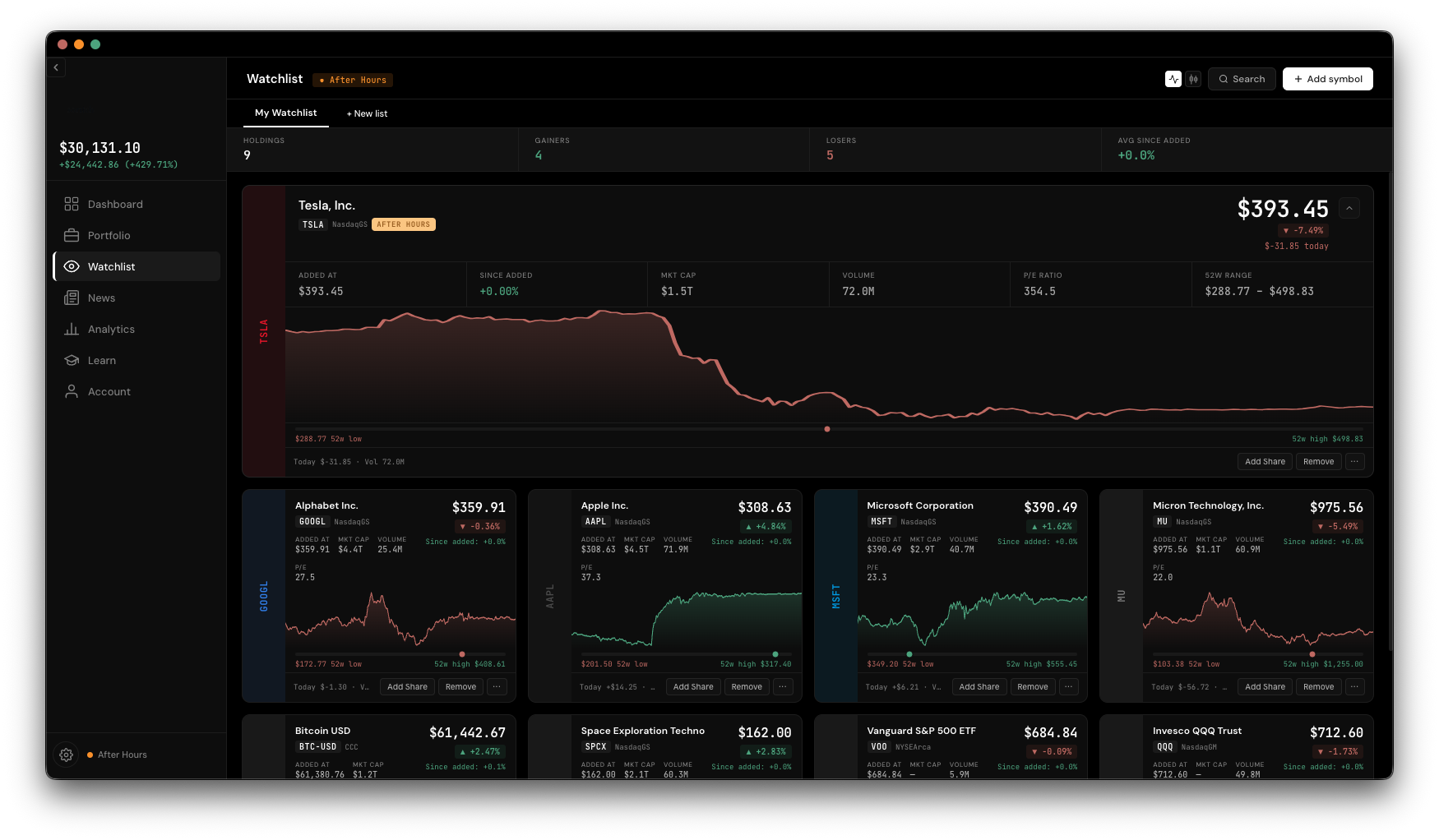
Watchlist
Watchlist is completely separate from Portfolio — it's for symbols you're keeping an eye on, not ones you've bought. Build as many named lists as you want, and promote anything to a real holding the moment you're ready.
Your first list, "My Watchlist," is created for you automatically. Tabs across the top let you switch between lists, and the + tab starts a new one — just type a name for it.
Click Add symbol to open a search overlay. Type a ticker or company name, pick a result, and it's added at its current price — which is also what powers the "since added" percentage you'll see on its card later.
Each symbol shows as a card rather than a table row: company name, ticker, exchange, live price, day change, a sparkline or candlestick chart (toggle between them from the header), market cap, volume, P/E, and a 52-week range bar. Click a card to expand it for a bigger chart and more detail.
Each card also has quick actions:
The separate Search button (top-right, not the same as "Add symbol") is a pure lookup tool — type a ticker or company, pick a match, and get a read-only detail view with a chart, range selector, and key stats. Nothing you look up here gets saved unless you explicitly click Add to Watchlist in the footer.
A summary bar at the top of the list shows your total count, gainers, losers, and average "since added" return. Prices refresh automatically on an interval while the tab stays open, and a market-status pill shows whether the market is open, pre-market, after-hours, or closed.