Planner · New in Prerelease 2.0
A starting plan for new money.
The Planner takes an amount, how long you’re investing for and the industries you care about, and turns them into a list of stocks and funds with an amount for each. It explains its choices in plain English. It’s a starting point for your own research, not financial advice.
Building a plan
Open Planner in the sidebar and fill in the form:
- Amount to invest — in your display currency.
- Time horizon — Short term (weeks to months) favors momentum, Long term (years) favors steady trends, smaller swings and value, and Both blends the two. It starts from the horizon you chose when you set up your account.
- Invest in — Stocks, ETFs, or Both. With Both, a slider sets how much goes into funds versus individual companies.
- Markets — the exchanges you’re willing to buy on: NASDAQ, NYSE, Cboe, TSX and TSX Venture. Only listings on the ones you tick are used. TSX prices are in Canadian dollars.
- Industry focus — add industries with + Add industry and drag their sliders. Weights are relative: 80 for Tech and 20 for Energy puts four times as much into Tech. Even evens them out and Clear removes them all.
Click Build plan. A status line shows each step while Soritch gathers a year of prices for the candidates. It can take a minute or so.
How the picks are chosen
For each industry, Soritch starts from the largest companies and the main funds that track it, then scores each one from 0 to 100 against the others. What counts depends on your horizon: recent momentum for the short term, and the one-year trend, steadiness, valuation and dividends for the long term. Funds are scored separately, and low fees and fund size matter most.
Each industry gets its share of the amount. The fund part goes into that industry’s single best fund, and the stock part is split between its top-scoring companies. If an industry has nothing available on the markets you picked, its share moves to the others and the plan tells you why.
Reading the results
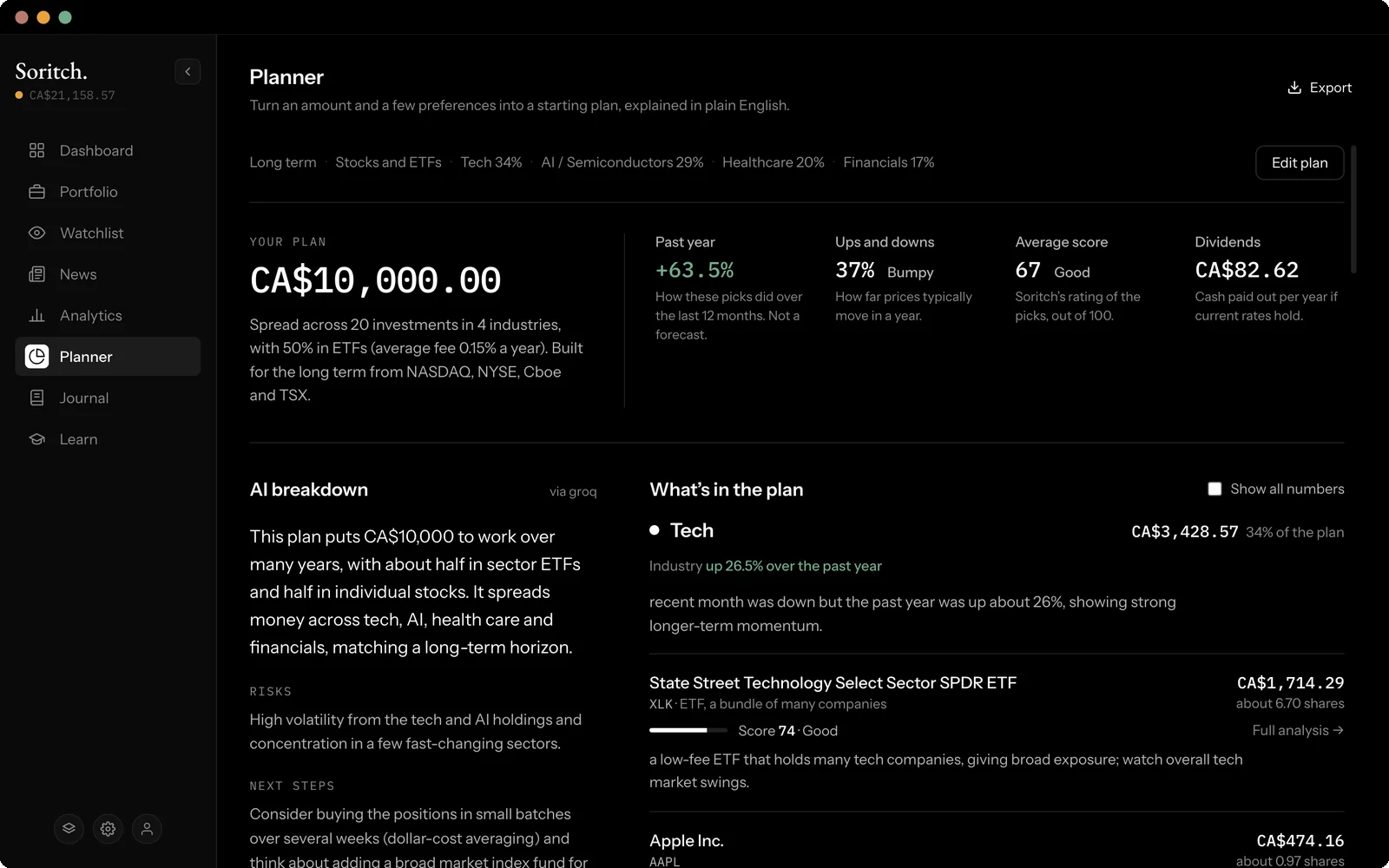
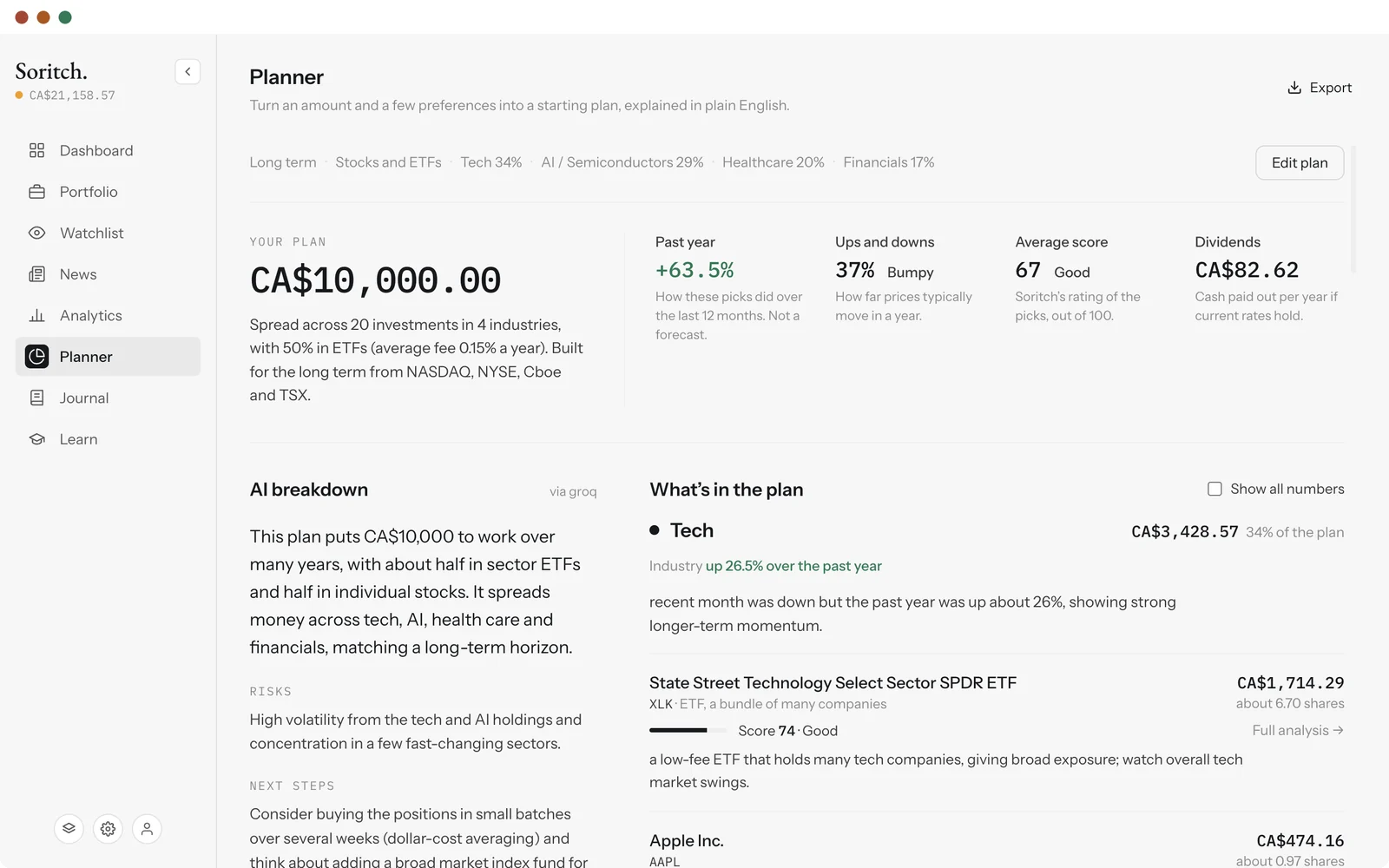
The top of the plan sums it up: how many investments it holds, how it would have done over the past year, how bumpy it has been, the average score and the yearly dividends you could expect at current rates. Past results are not a forecast.
Below that, What’s in the plan lists each industry with its one-year trend, then each pick with its amount, rough number of shares and score. Full analysis opens any pick in Analytics. Click Show the numbers under an industry, or tick Show all numbers, for the figures behind each pick.
AI breakdown
If an AI engine is connected, the plan comes with a written breakdown: a summary, the main risks, next steps, and a short note on each industry and pick. The label beside it (for example via groq) shows which engine wrote it. Without one, the plan is still built; only the written notes are missing. See API keys to set one up.
Changing and exporting a plan
Click Edit plan to change anything. Your current plan stays on screen until you click Rebuild plan, and the button reads Plan is up to date when nothing has changed. Your last plan is still there the next time you open the Planner.
Export in the top corner saves the plan as a PDF report, a spreadsheet (.csv, one row per holding) or plain text for a note or message. Exported files are named after the plan’s reference number.